Envision 5.2
January 28, 2026 - SHA: 3fb98312
 HOOPS Envision for Web
  HOOPS Envision for Desktop
New Features
CAE-1238 Distribution curve for continuous color legends
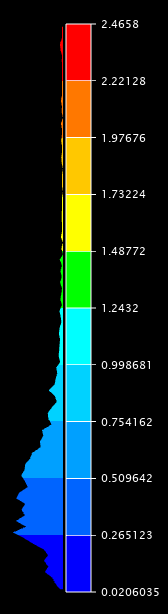
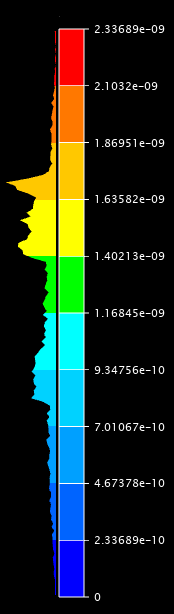
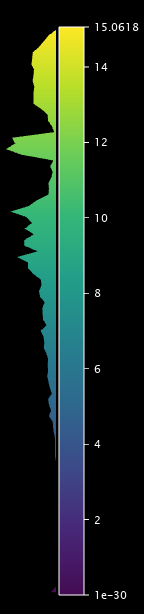
We have added a filled histogram-style distribution curve for continuous color legends in Envision Desktop. This feature provides a visual indicator showing the concentration of scalar values within the active legend range.
Users can enable the distribution curve for a specific scalar result via a new showDistributionOnLegend flag in ScalarSettings. The curve automatically updates when scalar range, visibility, or filtering changes.
The implementation puts visible and filtered scalar values into a number of bins, which is then rendered as a filled curve beside the legend bar.
There are several customization options for the distribution curve, including the bin count, curve width and concetration threshold. See the API documentation for ScalarSettings for more details.
CAE-1587 Extend result support in cee::app::toNodesArithmetic()
Extended result operator toNodesArithmetic, allowing it to take as input results that have per-element-node or per-element-surface data.
CAE-1338 Coplanar cross sections for GeometryModel
The method geo.GeometryModelManipulator.createCrossSectionModel() in the geo module of Envision Web now supports coplanar cross sections.
The created cross section will include model’s inner and outer contour edges which are coplanar with the given cross section plane.