Spheres
HOOPS Visualize Desktop supports a sphere primitive.
It is tessellated at draw time which can greatly reduce the memory footprint of your application if spheres are widely used.
It is inserted via a center point, radius, and vertical-horizontal vectors.
When invoking HPS::SegmentKey::InsertSphere with a HPS::SphereKit object, the basis vectors are required in order for the sphere to be visible.
A sample call is as follows:
    HPS::SphereKit sphereKit;

    sphereKit.SetCenter(Point(0, 0, 0));
    sphereKit.SetRadius(0.5f);
    sphereKit.SetBasis(Vector(0.25, 0.25, 1), Vector(1, 0, 0)); // basis includes 'vertical' and
                                                                // 'horizontal' vectors as params

    mySegmentKey.InsertSphere(sphereKit);
HPS.SphereKit sphereKit = new HPS.SphereKit();

sphereKit.SetCenter(new HPS.Point(0, 0, 0));
sphereKit.SetRadius(0.5f);
sphereKit.SetBasis(new HPS.Vector(0, 1, 0), new HPS.Vector(1, 0, 0)); // basis includes 'axis'
                                                                      // and 'up' vectors as params

mySegmentKey.InsertSphere(sphereKit);
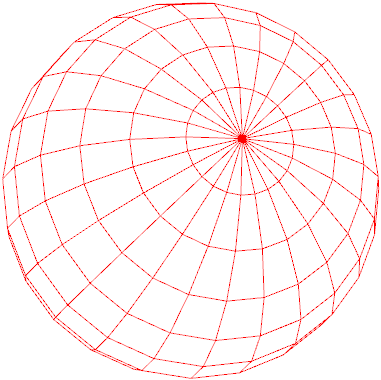
A basic sphere
Sphere tessellation can also be controlled with the segment’s HPS::SphereAttributeControl. The tessellation setting controls the number of faces around the equator of the sphere.
mySegmentKey.GetSphereAttributeControl().SetTessellation(50);
mySegmentKey.GetSphereAttributeControl().SetTessellation(50);
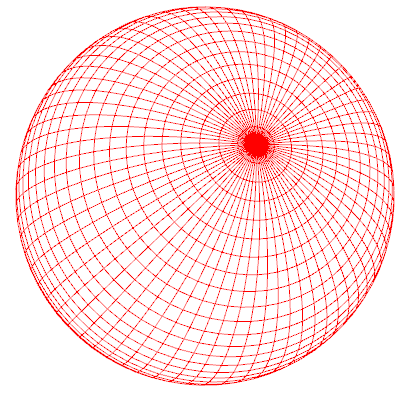
A sphere with a high tesselation value
Notes on Sphere Sub-Entities
Spheres, like cylinders, are dynamically constructed HOOPS Visualize Desktop primitives. One result of this is that user interaction among subentites is limited. For instance, setting attributes or materials on individual faces, lines, or vertices is not supported nor is altering their position. Cylinder and sphere primitives cannot be textured.
To apply a texture to a sphere, convert it to a shell with HPS::SegmentKey::InsertShellFromGeometry, then texture the resulting shell.