Discover SpinFire Publish
SpinFire Publish is Tech Soft 3D’s server-based automation platform for converting, processing, and distributing CAD data across the enterprise.

You build pipelines in the Pipeline Manager. Each pipeline starts with a trigger, such as a watched directory, a schedule, or a timer, that picks up incoming files and creates jobs. A sequence of actions then processes each job: converting CAD files, extracting metadata and PMI, generating thumbnails, and delivering the results to downstream systems. Pipelines run 24/7 on the server, so no engineering workstation is tied up.
Why Choose SpinFire Publish?
Automate: replace repetitive, manual CAD processing with pipelines that run unattended.
Standardize: process every file, its metadata, and its outputs the same way across projects and departments.
Distribute: deliver processed CAD data to the right systems, users, and downstream workflows automatically.
Key Capabilities
Watch local or network folders, or run on a schedule, with job allocation triggers
Read native formats including CATIA, SOLIDWORKS, NX, Revit, and ACIS, and convert to PDF, JT, STEP, IGES, Parasolid, PRC, STL, glTF, and more with CAD2CAD conversion
Generate ACT3D files for viewing in SpinFire
Extract PMI/GD&T, create PNG images and thumbnails, and copy, move, or delete files with job actions
Build output paths and file names from file attributes with dynamic properties
Send email when files are processed, or when a pipeline fails
Monitor and troubleshoot processing in the Jobs Explorer

A single CATIA part dropped into a watched folder, converted to seven formats automatically.
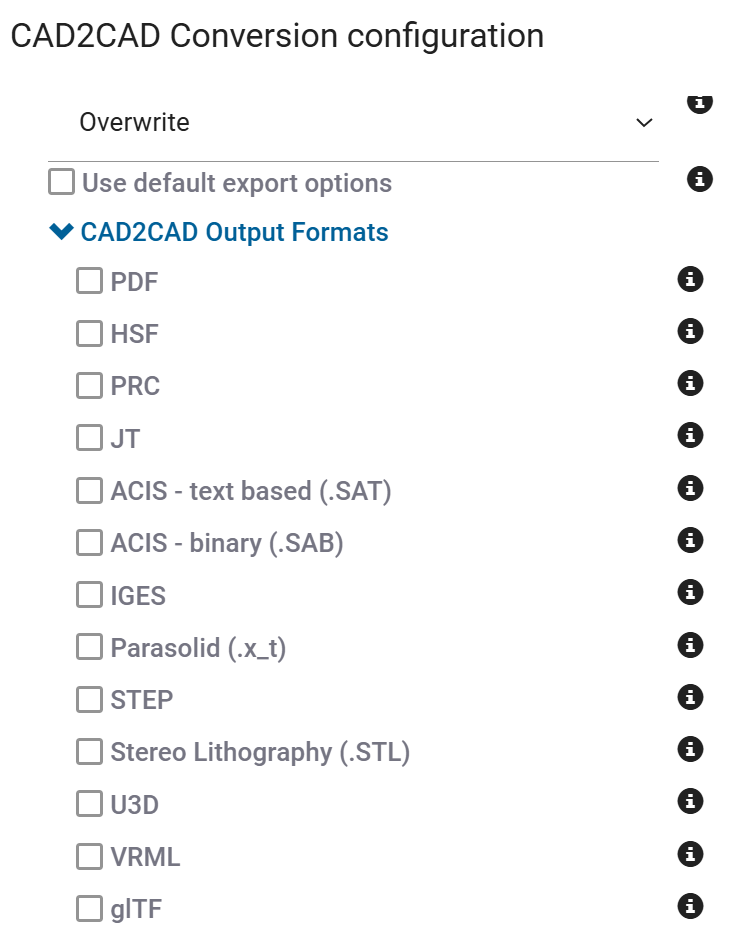
Choose one or more output formats in the CAD2CAD Conversion action.
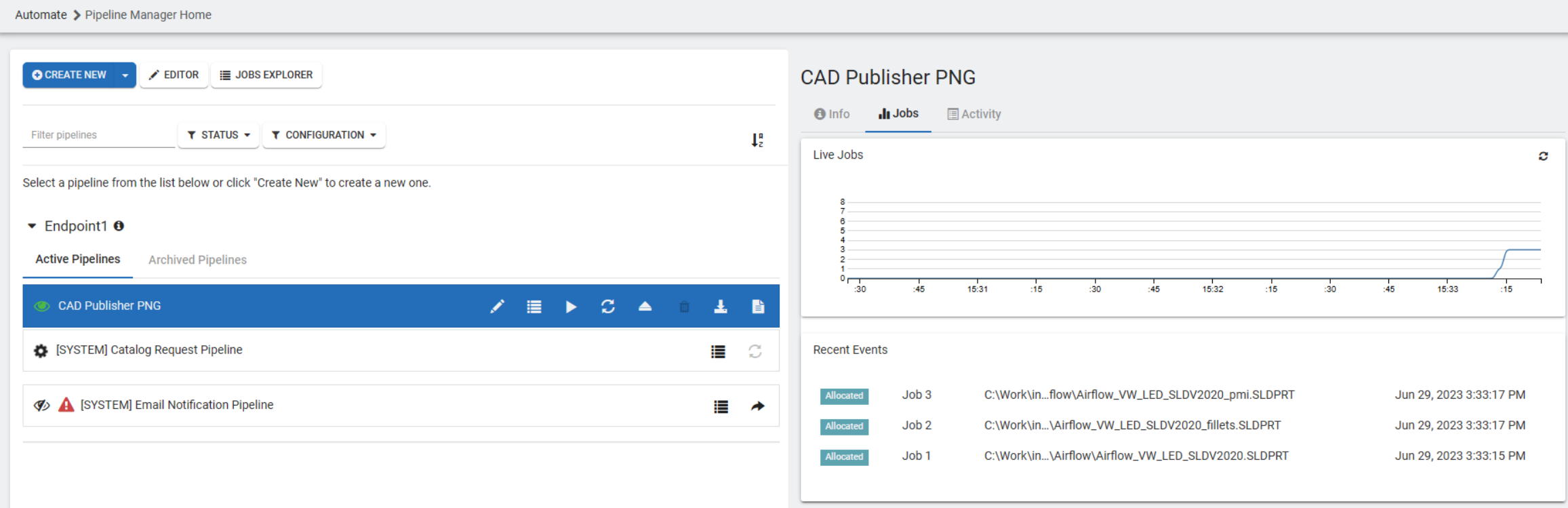
Track live jobs and recent events for each pipeline from the Pipeline Manager.

Add a Send Email action to notify users when a file has been processed.
Next Steps
Need help? Contact our Support Team, or see Contact Us for other ways to reach Tech Soft 3D.