
Tetra 4D Converter Overview
Tetra4D Converter allows you to create rich PDFs from supported 3D and CAD file formats and from geospatially enabled PDFs. You can interact with 3D PDFs in several ways allowing you to rotate, move, and measure parts and distances.
Tetra4D Converter for Acrobat Pro
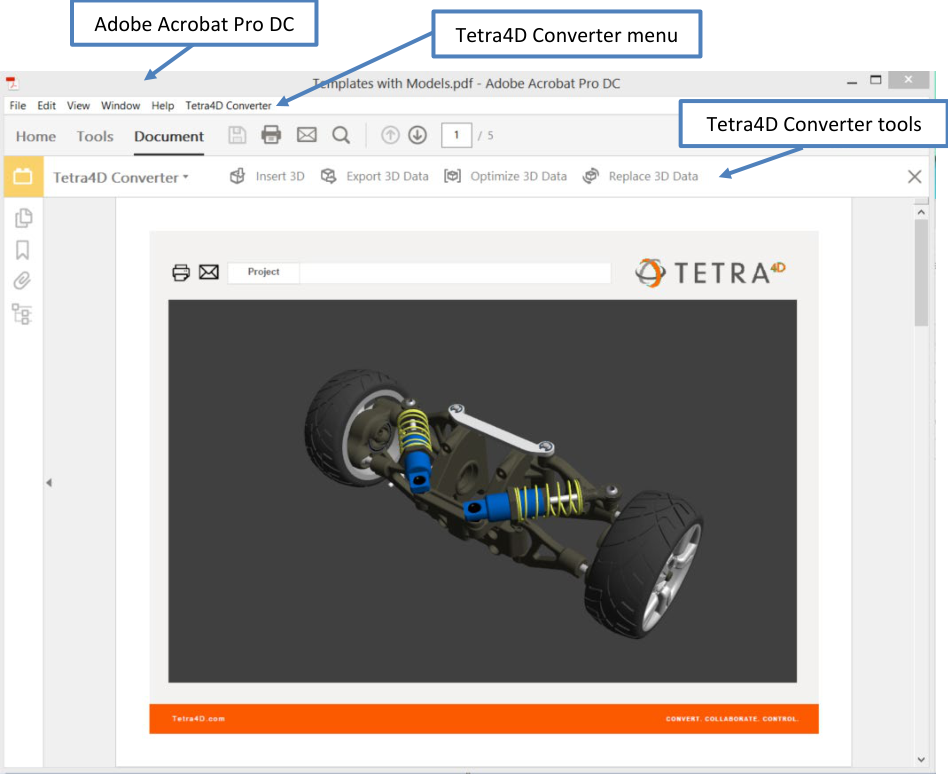
Tools Menu

Insert 3D
This allows 3D CAD data to be converted and inserted into a PDF Document. When selected, you define the position and size of the 3D annotation frame, then select the 3D source file. The file is then imported and placed within your PDF document, after which you can manipulate the 3D image as you like.
For more information see Converting 3D Models.
Export 3D Data
This allows you to export and save 3D Data from your PDF in another file format. Supported file formats for exporting include:
File Format |
File Extension |
ACIS |
.sat |
IGES |
.igs, .iges |
JT |
.jt |
Parasolid |
.x_t |
PRC |
.prc |
STEP |
.stp, .step |
Stereo Lithography (STL) |
.stl |
U3D |
.u3d |
VRML |
.vrml, .wrl |
X3D |
.x3d |
3MF |
.3mf |
FBX |
.fbx |
OBJ |
.obj |
In addition, you have the opportunity to specify certain exported attributes. For example, for IGES, clicking on Settings in the Save File dialog box offers you the following choices:
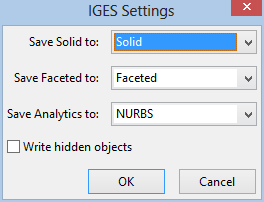
For more information about exporting, see Exporting geometry from 3D models. Please note that this functionality may change over time as file formats change and as Tetra4D Converter is enhanced to support additional formats. Please see “U3D and PRC Formats” for more information.
Optimize 3D Data
Allows the 3D Data to be further optimized for file size and performance.
For more information see “Optimizing 3D Data”. Please note that this functionality may not be available because of the format type. Please see “U3D and PRC Formats” for more information.
Replace 3D Data
Allows one 3D dataset to be easily replace with another.
For more information see “Replacing 3D Data”. Please note that this functionality may not be available because of the format type. Please see “U3D and PRC Formats” for more information.