Configuration
System settings for SpinFire Manage are configured in a single JSON file:
C:\ProgramData\SpinFire\SpinFire Manage\Configuration\appSettings.jsonc
This file is used by both the Web App and the Pipeline Service. Settings are organized into sections (Common, WebApp, PipelineService). It is not recommended to change values outside of those documented here, and it is always recommended to back up the configuration file before making changes.
NOTE: Changes to the Common section affects both the Web App and Pipeline Service, so they must be restarted.
Database IP Address
If you need to change the database IP address or port, edit the ArangoIP and ArangoPort values in the Common section.
"Common": {
  "ArangoIP": "0.0.0.0",
  "ArangoPort": "8529",
}
Where "0.0.0.0" is the IP address of the database server. "8529" is the default port for ArangoDB.
Catalog Resource Location
The Catalog resource location defines where all uploaded files to the Catalog are stored including revisions. It is specified during installation.
The default value is:
"WebApp": {
  "CatalogStorageLocation": "C:\\inetpub\\wwwroot\\Centro\\CatalogResources\\",
}
Depending on one’s total content, this can grow to be quite large. To change the Catalog resource location:
Find the
CatalogStorageLocationkey under theWebAppsection.Edit the value to a valid and existing location. Ensure that the Web App has read/write permissions to this location. The path separators must be double backslashes (
\\) or single forward slashes (/).Save the file.
Restart the Web App (CentroPool) for the changes to take effect.
Email
See Email Configuration for instructions on configuring the email settings.
Demo Mode “sunburst” charts
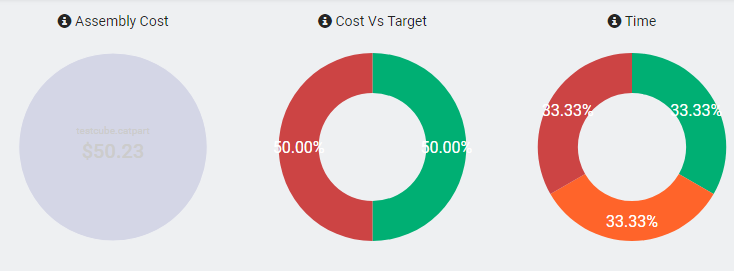
To disable/enable Demo mode charts, set the DemoModeEnabled key in the Common section:
"Common": {
  "DemoModeEnabled": "true",
}
Set the value to "false" to disable or "true" to enable.