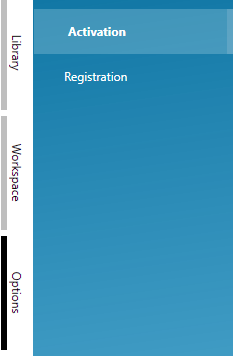
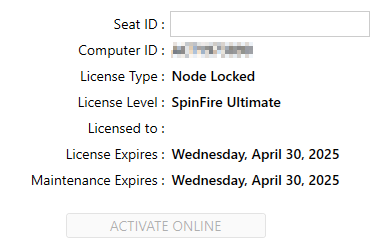
Activate Site Access License
In order to activate your Site Access (Note - Site Access is for SpinFire Enterprise only), enter your company’s Seat ID on the SpinFire activation page (Under Options > Activation), your machine must be a member of the correct domain for the license to activate successfully, after which you will be able to use it while traveling or working from home.
To find your machine’s domain name type the following into Powershell:
(Get-WmiObject Win32_ComputerSystem).Domain
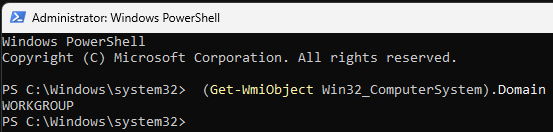
This will confirm you are part of the correct domain or if the machine is not part of a domain (which will show WORKGROUP if it’s not a member of the correct domain)
If the Seat ID (License number) is correct, you are a member of the correct domain for your company and your license is still not working please reach out to support at spinfiresupport@techsoft3d.com for assistance.