
CREO > 3D PDF
What is a 3D PDF?
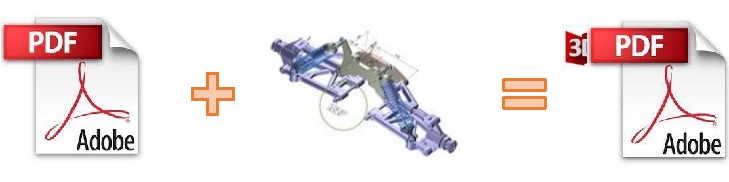
In its simplest form a 3D PDF is a standard Adobe PDF document that contains interactive 3D content.
A PDF is a document format that can contain:
2D Graphics
3D Graphics (3D CAD model)
Attached files to form a Technical Data Package. The ability to interrogate and interact with the document.
The ability to universally review CAD with a free viewer.
Compressed data for optimum file size for sharing
The addition of 3D content to PDF allows your company:
To produce documents to fully describe the product
To achieve effective communication regarding product information.
To automate specific business processes
To improve understanding and eliminate ambiguity in relation to product data.
To create and extend customised, dynamic documents
To create rich documents with 3D content which can be consumed anywhere.
To create interactive and engaging documents such as brochures
It’s already used for documents which commonly relate to products e.g.; Request for Quotation, Engineering Change Requests, Bill of Material reports, Inspection Documents, Works instructions, Service manuals, Sales literature, etc.
It’s already used for documents which commonly relate to products e.g.; Request for Quotation, Engineering Change Requests, Bill of Material reports, Inspection Documents, Works instructions, Service manuals, Sales literature, etc.
Review our website here for a short video explaining 3D PDF.
Primary Product benefits?
Being a direct database converter all pre and post processing is eliminated, saving time.
Reduce costs due to processing time and increase overall conversion success levels by filtering input data and focusing the conversion to only those elements required.
Reduce costs and risks associated to accessing the wrong version of data by integrating the conversion process into a related business processes.
With over 20 years of industrial use Theorem translation products robustness and quality is well proven, reducing your business risk.
This section will focus specifically on guidance for the use of the Visualize 3D for CATIA V5 – JT product. For information regarding any of Theorem’s product ranges please contact sales@theorem.com
Getting Started
Installation
The installation is run from the .msi file download provided.
License Configuration
To run any product a valid license file is required. The Flex License Manager is run from the .msi file download provided.

